The Conductor Rewrite:
What They Changed to Make It Fast
 Dennis BrotzkyJuly 2, 2026

Open a new tab, type chatgpt.com, and ask it something. No account, no sign in, no spinner. The page is interactive immediately, and the answer starts streaming a moment after you hit enter. That experience is served to roughly 1 billion people, making chatgpt.com a top website on the entire internet and one of the most used web apps in the world. On the surface it seems like a simple interface, but after digging in it's anything but. I spent days reverse engineering their web app by digging through the page source, bundled code, and network requests to understand how it was built.
Start with the constraints
The migration from Next.js to React Router
Fastest path to paint
CSS at billion-user scale
Don't reinvent the wheel with components
Every answer is a render problem
Can you type yet?
Feature flagging everything
The fastest path to the first token
Letting a billion strangers in
The difference between ChatGPT and Claude
Before we start: I don't work at OpenAI and I've never seen their source code. What makes this piece different from my Linear and Conductor breakdowns is that OpenAI hasn't really published anything about ChatGPT web. This piece is a mixture of history, investigation, and technical insights. The whole story has been assembled from chatgpt.com itself (the HTML, JavaScript, CSS, and network requests) plus random talks, tweets, and their career page.
The two most important things I consider when architecting a web app are the goal and the constraints. These two factors shape every downstream decision. Who is the customer? How important is the initial load? Do you need an account to use it? Does it need to show up in search engines? What's the budget? How important is the developer experience? Is there existing architecture? And so on...
From the outside, the goal of ChatGPT feels clear to me: be the site the entire world uses to interact with AI. It's incredibly important that the site is accessible to anyone around the world on any device. It should cater to everyone from an Android user on a spotty connection who just discovered ChatGPT, to a power user with a Pro subscription on a MacBook Pro.
Having those constraints in place eliminates entire architectures for you. A standard client side rendered app is out, because you'd be staring at a blank page while a bunch of JavaScript downloads before anything meaningful shows up. Apps like Linear get away with CSR because their users log in once and live inside the app all day, but that approach doesn't fit OpenAI's goal.
Server-side rendering is a better approach in this case, but it doesn't come free. Every request now requires your server to fetch data, render HTML, and send it back, making it more expensive to run than serving static assets. As a developer, it's also a much harder model to reason about. Your app now exists in two environments (the server and the browser) and you're constantly thinking about which APIs are available where. You'll eventually hit hydration mismatches, accidentally reference window on the server, or spend time debugging caching and rendering behavior. It's a more complex architecture with more failure modes. But if your goal is the fastest possible first load, real HTML for search engines, and a great experience for first-time visitors, those are often tradeoffs worth making.
Let's see what ChatGPT does. The first step is to take a look under the hood to better understand the architecture and technical decisions they've made. From what I can gather, this is roughly the stack as of today:
Frontend
  React 19 + react-dom              (UI runtime, streamed server render)
  React Router 7 (framework mode)   (routing, loaders, streaming SSR)
  TypeScript                        (language)
  TanStack Query                    (server state on the client)
  Tailwind CSS                      (utility styling + design tokens)
  Radix UI primitives               (menus, popovers, selects, toasts)
  ProseMirror                       (the composer you type into)
  CodeMirror 6                      (answer code blocks + canvas editor)
  Motion                            (animation)
  silk-hq                           (native-feeling sheets on mobile)
  KaTeX                             (math; fonts load on demand)
  Mapbox GL                         (maps inside answers)
  System font stack                 (no webfont for UI text)

Build and delivery
  Vite                              (bundling; per-route JS + CSS chunks)
  Cloudflare                        (CDN, cache, bot defense)
  First-party assets                (everything from chatgpt.com/cdn/assets)

Experimentation and observability
  Statsig                           (flags + experiments, server evaluated)
  Datadog RUM                       (real user monitoring)

Realtime
  SSE over fetch                    (token streaming)
  LiveKit + WebRTC                  (voice mode)
  WebAssembly                       (audio processing, syntax grammars)
What stands out to me the most is that they're mostly using off-the-shelf libraries instead of custom frameworks or components. If you've ever looked at Gemini's source code it's a very different beast full of proprietary Google stuff. ChatGPT feels simple and standard, which are incredibly important details when you want to build an app that scales to a billion users.
The history of ChatGPT is very interesting to me. Before diving into the technical aspects of how it's built I wanted to understand the origin, key events, and path they took to get to where they are today.
ChatGPT launched on November 30, 2022 as a Next.js 12 app using the Pages Router (my personal favorite version of Next.js to this day). Inside OpenAI, ChatGPT was a “research preview” shipped with low expectations, a quick wrapper around a fine-tuned GPT-3.5 meant to collect feedback from the public. We all know how that went.
One of my favorite artifacts from the Next.js era is the route manifest, still sitting in the Wayback Machine. You can see how simple the initial web app was, plus hints of internal codespace and workspace tools that appear to have shipped inside the same build, likely a byproduct of racing the MVP out the door.
// _buildManifest.js from the December 2022 launch build
sortedPages: [
  "/",
  "/_app",
  "/_error",
  "/auth/error",
  "/auth/login",
  "/chat",
  "/codespace",
  "/error",
  "/workspace/[[...tid]]"
]
Through the entire Next.js App Router era that followed, chatgpt.com never adopted it. They rode the Pages Router for ~21 months, then migrated off Next.js entirely. In my past projects I've also followed the same path.
The migration was caught in the wild, not announced by ChatGPT. On August 27, 2024, Tibor Blaho noticed chatgpt.com serving a Remix build to a slice of users as an experiment. By September 4 it had rolled out widely, and Ryan Florence, Remix's co-creator, tweeted “New Remix app just dropped: chatgpt.com.”Wes Bos dug through the bundle on YouTube the next day.
What Wes found is the interesting part, because it explains the philosophy. The Remix-era app ran real server infrastructure (an Express server executing route loaders and serializing around 7,000 lines of JSON into window.__remixContext) but rendered almost no actual UI on the server. A shell, some preload links, a theme script. No Remix actions anywhere. Mutations went through their own API instead of the library's built-in actions. Remix was a router, a data pipe, and a hydration shell around what was essentially a client side app. Ryan Florence later confirmed ChatGPT as a Remix app where “most of their data loading is done with TanStack Query instead of React Router's loaders.” Evan You, who created Vite, summarized the community's reading of the whole move in one line: “Many of you probably just need an SPA too.”
So far, the story goes as an initial MVP with Next.js Pages Router, then migrated to Remix in a SPA-like configuration. But there's more!
When Remix v2 merged back into React Router as v7 in November 2024, ChatGPT followed. Today you can inspect the page source of every page and see:
window.__reactRouterContext = {
  "basename": "/",
  "ssr": true,
  "isSpaMode": false,
  "routeDiscovery": {
    "mode": "lazy",
    "manifestPath": "/__manifest"
   },
  // ...
};
ssr: true. This is React Router 7 framework mode, the full Vite-based, streaming, server rendered setup. And here's the evolution I find fascinating: the Remix era served an empty shell, but the app today server renders the entire logged-out experience as real HTML. They went even heavier on the SSR.
One more thing I found unique is hiding in the router. The client manifest lists 354 routes, and only about 13 of them are the actual chat app. The rest are marketing and landing pages, all living in the same codebase, same router, same deploy. The route names read straight out of React Router's file conventions:
routes/_conversation._index             the chat
routes/_conversation.c.$conversationId  a conversation
routes/($lang).codex.pricing            marketing
routes/($lang).business._index          marketing
routes/($lang).atlas.get-started        marketing
Most companies tend to split marketing into a separate site (Linear runs theirs on Next.js, away from the app). As far as I can tell, OpenAI ships theirs inside the product app, which means landing pages share the design system, the flag system, and the router. Clicking from a campaign page into the chat is a client side navigation, not a fresh page load, which is pretty cool.
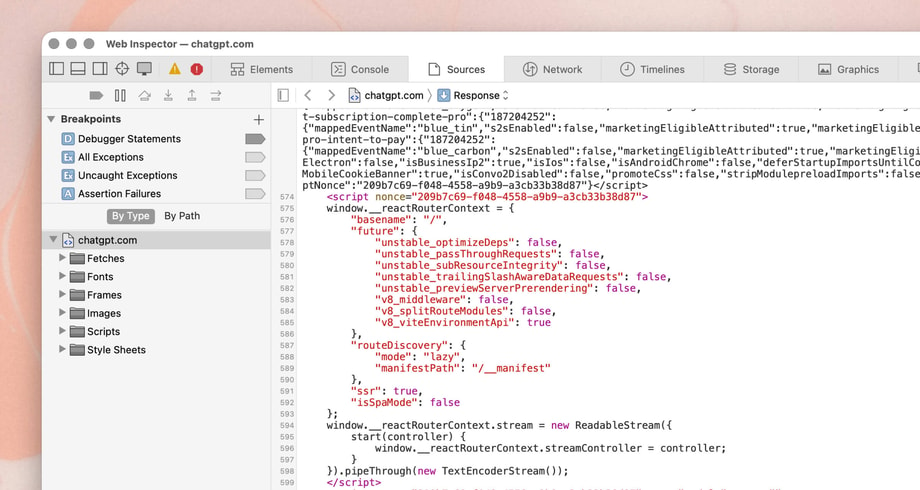
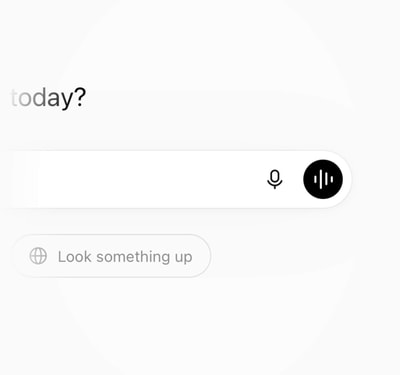
The logged-out document I measured is served as 84 KB compressed, and it arrives with a time to first byte of around 50 to 65ms to my laptop in Vancouver, served by a nearby Cloudflare edge. Inside that single response is everything needed to paint a working app shell: roughly 30 KB of real markup (the sidebar, the “What's on the agenda today?” greeting, the composer) plus the styles to render it. After hydration the entire page is 548 DOM nodes (very light). The experience is entirely focused on simplicity and one goal: the chat input.
But the markup/DOM is the least interesting part of the document. The head is where the performance work lives. Before any bundle is requested, inline scripts run. The first one is the standard theme selection:
// inlined in <head>, runs before first paint
!function(){try{
  var d=document.documentElement, c=d.classList;
  c.remove('light','dark');
  var e=localStorage.getItem('theme');
  if('system'===e||(!e&&true)){
    var t='(prefers-color-scheme: dark)', m=window.matchMedia(t);
    if(m.media!==t||m.matches){ d.style.colorScheme='dark'; c.add('dark') }
    else { d.style.colorScheme='light'; c.add('light') }
  } else if(e){ c.add(e||'') }
  if(e==='light'||e==='dark') d.style.colorScheme=e
}catch(e){}}();
Sound familiar? It's the exact pattern I covered in the Linear article: read the user's saved theme out of localStorage and apply it to the html element before paint, so there's never a flash of the wrong theme.
Right after it comes one of my favorite details that hints at ChatGPT's goal:
window.__oai_logHTML?window.__oai_logHTML()
  :window.__oai_SSR_HTML=window.__oai_SSR_HTML||Date.now();
requestAnimationFrame(function(){
  window.__oai_logTTI?window.__oai_logTTI()
    :window.__oai_SSR_TTI=window.__oai_SSR_TTI||Date.now()
});
They timestamp the moment the HTML starts executing and the first frame after it, for every single user, and feed it into their real user monitoring. Performance is clearly a priority: they're measuring the entire load path, from first byte to interactive. You can't improve what you don't measure!
The document response itself streams. This is React 19 streaming SSR through React Router: the server flushes the shell immediately and Suspense boundaries fill in as data resolves, patched into place by tiny inline scripts. Route loader data arrives over its own ReadableStream in parallel with the HTML. And tucked inside that loader data is a set of server decisions about what the client should warm up: shouldPrefetchModels, shouldPrefetchHistory, shouldPrefetchStarredConversations. In chatgpt.com's case, the server dictates a lot of the client's behavior. It hands the client a per-user prefetch plan. It really does feel like the client is a thin wrapper that is driven by the server.
When you think about it, it's a great approach for this usecase. If you believe in generative UI this is the first baby-step towards that. Also, a chat interface is very much the same approach. The answer dictates what to show through tokens, markdown, html, and other widget signals. So, the entire HTML document is a mirror of that.
Authentication follows a render-first approach which I keep reiterating is the best approach to do if performance is your goal. A logged-out visitor is never blocked on an auth check. Instead, the entire backend has a parallel anonymous surface: /backend-anon/me, /backend-anon/models, /backend-anon/conversation. Anonymous visitors get a real user ID so rate limits and experiments work without an account. There's no “are you logged in” round trip standing between a new user and the composer, which signals back to the original constraints we talked about.
Everything so far is designed to let as many people as possible type chatgpt.com into their browser and start using AI. Server side rendered document with an extremely performant time to interactive. On top of that there's no auth wall or account creation - eliminating one of the largest funnel dropoffs.
ChatGPT is one of the biggest Tailwind apps in the world. Adam Wathan added it to the Tailwind showcase back in March 2023, and when OpenAI threw away their framework in 2024, Tailwind survived the cut. Wes Bos joked to Tanner Linsley on Syntax that “you (TanStack Query) and Tailwind are the only ones that didn't get the ax on that move.”
One of the benefits of Tailwind is it's much simpler to SSR compared to CSS-in-JS solutions like styled-components. Not to mention, you're saving all the overhead by simply serving CSS in stylesheets instead of scripts.
Diving in, look at any element and you'll see the signature classes, but with a twist:
<div class="bg-token-main-surface-primary border-token-border-light
            flex h-svh w-screen flex-col @container/thread">
Those token-* classes are the design system: a semantic CSS variable layer sitting underneath the utilities. Light mode, dark mode, and the customizable chat themes all work by swapping variable values, never by re-rendering components. Another advantage Tailwind has over other CSS-in-JS tools like styled-components.
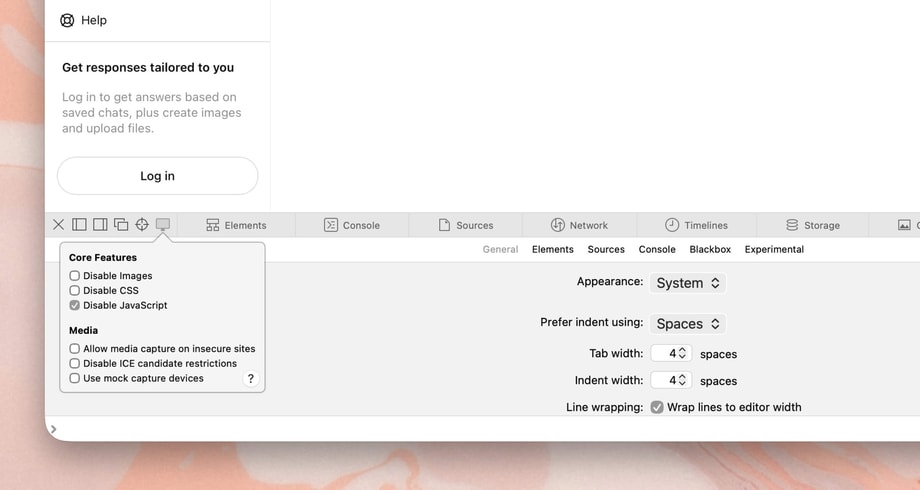
A second inline script in the head reads your saved chat theme from localStorage and sets a data attribute on the html element before paint, same trick as the dark mode script.
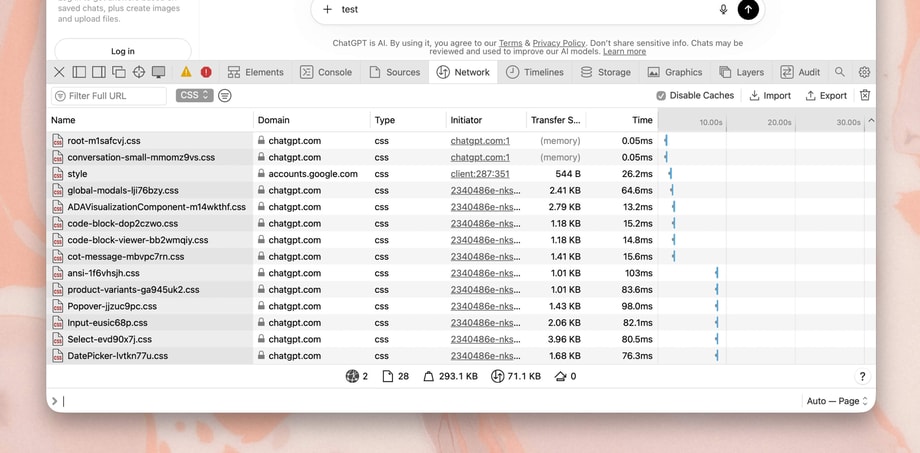
The CSS ships in route-sized pieces, just like the JavaScript. There is a single large root stylesheet and another larger conversation stylesheet. Then it gets granular: there's a code-block.css, a cot-message.css, a global-modals.css, each loading lazily with its feature. They do a great job splitting out all the styles based on the component or route that depends on it. That way, as you load the initial page you're only waiting for the essentials.
My favorite CSS/design decision is one they didn't make: there's no webfont. UI text renders in the platform's own font stack (SF Pro on Apple devices, Segoe UI on Windows, Roboto on Android). The only font file the page requests is a tiny semibold woff2 for brand moments, and the KaTeX math fonts download only if an answer contains math. When your audience includes hundreds of millions of people on slow connections, the fastest font is the one already installed on the device.
font-family: -apple-system-body, ui-sans-serif, -apple-system, "system-ui", "Segoe UI", Helvetica, "Apple Color Emoji", Arial, "sans-serif", "Segoe UI Emoji", "Segoe UI Symbol"Beyond that, I think the biggest takeaway for the CSS is that it's quite standard. They do have some large sets of theme variables set for various color schemes and primitives, but in general they rely on standard Tailwind patterns and code splitting. It's simple, effective, and performant.
Open the DOM and it's data-radix attributes all over the place: menus, selects, toasts, scroll areas, popovers. ChatGPT uses the same accessible primitives as everyone else's side project, and that's exactly the point. Radix is also what Linear and Conductor use, making it three for three across every app I've broken down.
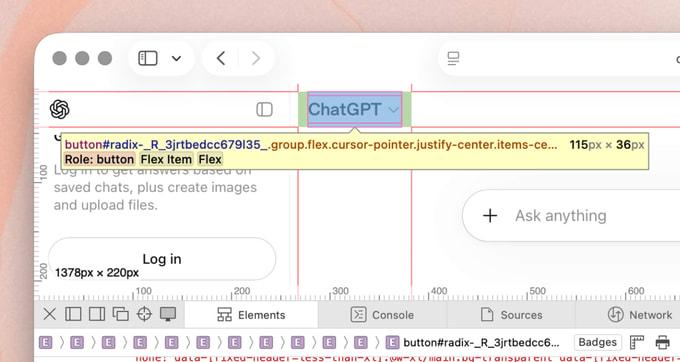
The composer is a place they spend real complexity. What looks like a simple textarea is a full ProseMirror editor. The server renders a visually identical static placeholder, and ProseMirror hydrates over it once the bundle lands. OpenAI cares enough about this layer that they sponsor Marijn Haverbeke, the creator of both ProseMirror and CodeMirror, whose CodeMirror also powers the code editing in canvas.
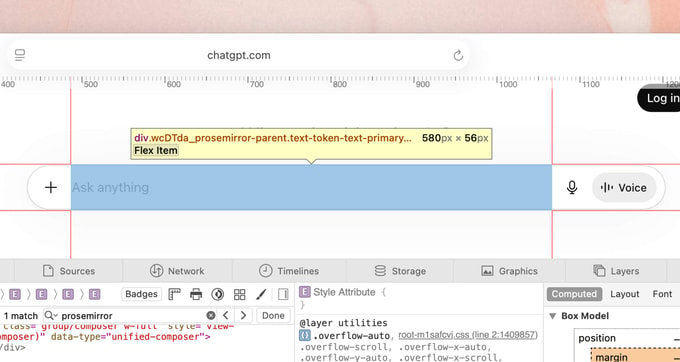
If you've ever worked on a rich text editor you'll know the pain of formatting, cursor position, widgets, mentions, and so on. ProseMirror (and now libraries built on top of it like TipTap) make your life so much easier.
In general, I found the design system feels very minimal. There are barely any animations, dropdowns open instantly, the color palette. very simple, and the shapes aren't complex. This goes back to the original understanding of the constraints. If you want to build an app that is used by everyone you have to keep the UI as simple as possible. To be honest, I find it quite beautiful how simple everything is. It is very much focused on function over form.

On the performance side, here's something I found counterintuitive: the message list is not virtualized. Every message in your conversation stays in the DOM. From what I can gather, ChatGPT conversations are mostly short and find-in-page needs to work for a billion people, and virtualization carries real complexity and accessibility costs. Again, thinking back to the constraints in the beginning it's clear they optimized for the broader audience. I'm also sure they have plenty of data showing how long the average chat history is to back up their decision.
Client data runs on TanStack Query, and it's not a recent addition. When the Remix migration had everyone talking, Tanner Linsley revealed on Syntax that “they've been using it for a while” and kept it through the transition. The integration goes deeper than a provider at the root. The served document initializes a window.__REACT_QUERY_CACHE__ global for server data to hydrate into, and right next to it sits a three-line polyfill for Promise.withResolvers.
I'm personally a huge fan of both TanStack Query and similar libraries like SWR from Vercel. It has become the simplest way to set up client side fetching with optimistic requests, server side rendering, and cache handling. Here, they're leveraging the full capabilities with server side rendering and it's working really well.
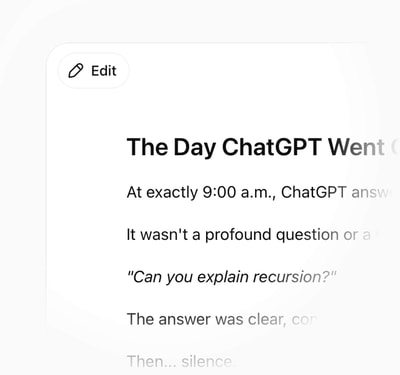
The composer is where you type, but the answer is where ChatGPT actually lives, and painting one is harder than it looks. If you've ever built a streaming chat interface you'll know just how difficult it is to do. Open the network tab and an answer is a stream of tokens. Open the DOM at the same time and it's a document being torn down and rebuilt on every single one of them. There are so many edge cases to do with chunks, scroll, re-rendering, and more that make it so difficult.
Each token that lands is a fragment of markdown, and the app re-parses and re-renders the growing message in place as it arrives. The catch is that the markdown is almost always incomplete mid-stream: a code fence that hasn't closed yet, a table with three of its rows, a bold marker still waiting for its partner. Parse that incorrectly and the layout breaks on every frame as the parser keeps changing its mind about what it's looking at. But ChatGPT stays smooth through all of it.
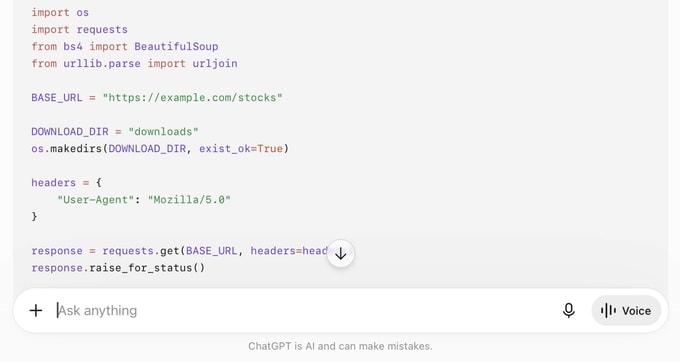
The detail I love is what a code block actually is. It looks like a styled <pre>, but it's a full CodeMirror editor (from the same creator of ProseMirror), the same library running their canvas. Inspect a code block in any answer and you'll find .cm-editor and .cm-content in the DOM, syntax highlighting and a copy button wired up.
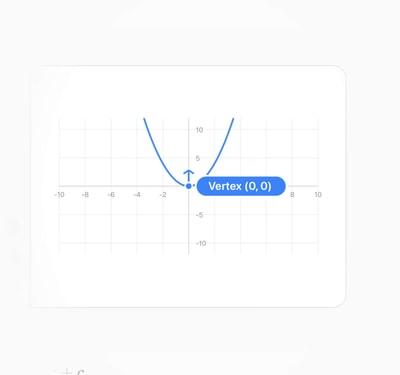
Math gets the same care. Formulas render through KaTeX, and every one ships twice. There's the visual version you see, and a hidden MathML <math> tree sitting underneath it. That second copy is the thoughtful part. It's what lets a screen reader read the formula out loud, and what lets you select and copy it as real math instead of a screenshot of math. It's an easy detail to skip, on a surface most apps would render as a flat image, and they didn't skip it.
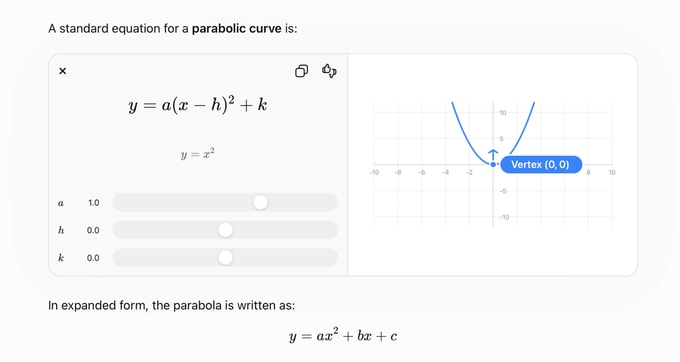
It fits the pattern of the whole app. Everything around the answer is deliberately boring, mainstream, reused. The answer itself is the one place they spend real engineering, because for a product whose entire value is the response, the render of that response is the product.
A cold, logged-out load of chatgpt.com pulls over a hundred JavaScript chunks. The document modulepreloads only 14 critical files (the entry, the React vendor chunks, and the modules for the matched route), and everything else is scheduled behind the only question that matters: can you type yet?
I know that's the question because that's what I found in the code. In the server's bootstrap config there's a flag literally named deferStartupImportsUntilComposerTTFI: defer the startup imports until the composer is interactive (composer is the chat input). The boot sequence is organized around the moment you can start typing.
This is another example of how, when you fully understand the goal from the beginning, the engineering decisions come quickly. Everything is focused around allowing people to type into ChatGPT. As we've seen before, time to interactive is a very important metric that they monitor. The whole purpose of this metric is to not block typing in the composer when someone visits chatgpt.com.
The route chunks tell one more story. Most filenames are anonymous hashes, but the conversation surface itself ships under a name: conversation-small. It's the slimmed core of the chat, referenced hundreds of times across the route manifest, while pieces like code block rendering and chain-of-thought views arrive in their own chunks only when an answer needs them. The version of the chat a brand new visitor downloads is the deliberately small one, and everything else is on demand. A smart technique to ensure things are only loaded when needed.
Another detail from the chunk graph is worth noting: nearly everything is first party. Every chunk, stylesheet, and font comes from chatgpt.com/cdn/assets behind Cloudflare with 30-day cache headers. No third party CDN domains means no extra DNS lookups and no extra TLS handshakes. Remember: the network is the enemy, and every new origin is another source.
I often see people messing up domain headers or domain setups in general and that leads to a handshake request, which doubles the network request time. It's such a simple fix and I'm always surprised how many times engineering teams get it wrong. Always avoid CORS issues, option headers, and unnecessary request handshakes.
And one last notable absence: there's no service worker. Linear precaches about 1,200 assets so the app boots offline. ChatGPT caches nothing beyond standard HTTP. My read is that it's deliberate. They deploy constantly, an offline chat app is useless without the model on the other end, and a stale service worker is one of the few bugs that can outlive the fix you deploy for it. When your product is a network conversation, offline-first buys you complexity, not value.
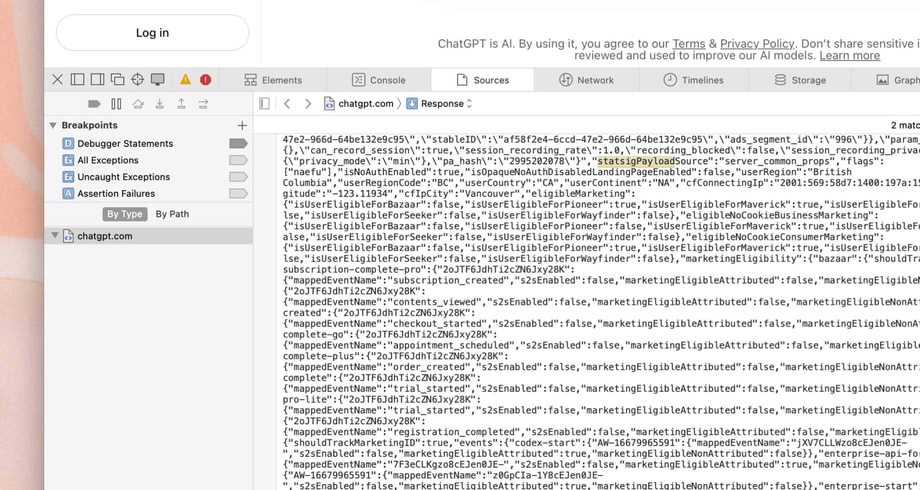
Buried in the served HTML is a script tag holding 377 KB of JSON: the client bootstrap. It carries your auth status, locale, region, and a server-evaluated snapshot of the entire experimentation state, computed per request against your anonymous ID and region. The day I checked, that meant 556 feature gates, 144 dynamic configs, and 192 experiment layers, inlined into the document of every visitor:
"statsigPayload": {
  "feature_gates": {
    "3479398748": {
      "name": "3479398748",
      "rule_id": "6cYbYFM2vjVEPNwAxdQvEB:100.00:3",
      "value": true
    }
    // ... about ~555 more
  },
  "dynamic_configs": { },
  "layer_configs": { }
}
Three decisions in there are worth diving into. First, the flags are evaluated on the server and inlined. The naive integration fetches flags from a flag service on boot, which forces a choice between blocking render on the network or rendering defaults and flickering when the flags land. OpenAI removed the request entirely. By the time React hydrates, every gate is already answered. The best network request is the one you never make.
Second, the gate names are hashed. You get 3479398748, not a readable name. An entire ecosystem of leakers mines ChatGPT's frontend for unreleased features, and readable flag names were handing them the roadmap (myself included for this article).
Third, the experimentation traffic is first party. Event logging flows through chatgpt.com/ces/v1/ on their own domain instead of Statsig's endpoints (Statsig historically rotated domains like featuregates.org to dodge ad blockers). Routing it through your own origin means the experiment data driving every decision doesn't have a blind spot shaped like “everyone who runs an ad blocker.”
But my favorite flags are the ones pointed at the loading strategy itself. Alongside deferStartupImportsUntilComposerTTFI sit promoteCss and stripModulepreloadImports, server-side switches whose names say exactly what they do: change how the document loads its own CSS and JavaScript. They ship both variants and let millions of users vote with their load times.
The scale of this system is hard to overstate. An OpenAI quote on Statsig's site mentions launching over 600 features behind their flags, and their data engineering team describes “hundreds of experiments across hundreds of millions of users.” When Codex launched, one engineer described launch night as deploying the monolith and then “turning on the flags.” And then in September 2025, OpenAI bought Statsig for 1.1 billion dollars and made its founder, Vijaye Raji, CTO of Applications, running engineering for ChatGPT and Codex. They liked the feature flag tool so much they bought the company and put the team in charge of the product. I can't think of a louder statement about how central experimentation is to how they build.
Every section so far has celebrated the same thing: no account, just start typing. That open door is the whole strategy, and it has a cost the article hasn't owned up to yet. If anyone on earth can prompt a frontier model for free with no login, then anyone on earth can also point a script at it. Free anonymous inference is a bot magnet, and every abusive request is real GPU money walking out the door. So the question that actually matters isn't why ChatGPT lets you in without an account. It's how it survives doing that a few billion times a day.
The answer is a security layer that is almost entirely invisible, which is exactly the point. Before you can send a single message, two things have already happened in the background. Cloudflare runs a proof-of-work challenge, the cdn-cgi/challenge-platform requests you can watch fire the moment the page loads, forcing every client to burn a little CPU proving it's a real browser. And OpenAI's own anti-abuse system, which they call Sentinel, boots inside a sandboxed iframe (sentinel/frame.html, with its own separately versioned sentinel/sdk.js) so it can fingerprint the client in isolation from the app it's protecting.
We actually saw the front of this in the last section: the chat-requirements prepare and finalize handshake the app fires before you send anything. Here's what it's really for. It satisfies the abuse checks ahead of time, while you're still typing, so that by the time you hit enter the bouncer has already checked your ID. It's the same move as everything else in this app: do the expensive work early, hidden behind something the user is already doing, so the thing they actually care about feels instant. The bot defense is prepaid, exactly like the auth check and the prefetch.
And it runs deep. Researchers who decrypted Cloudflare's challenge on chatgpt.com found it inspecting dozens of properties of the running page, including the app's own React Router state, before deciding you're a person. Whether that delights you or worries you, it's a useful reminder of how much machinery sits between a stranger and their first free token, and how hard the team works to make sure that stranger never feels a second of it.
// fired in the background before you've typed a word
GET   /cdn-cgi/challenge-platform/...        Cloudflare proof-of-work
GET   /backend-api/sentinel/sdk.js           anti-abuse SDK
      sentinel/frame.html                    loaded in a sandboxed iframe
POST  /backend-anon/sentinel/chat-requirements/prepare
POST  /backend-anon/sentinel/chat-requirements/finalize
This is the half of “no login, just start typing” that nobody sees. The open door isn't the absence of security. It's a frictionless door bolted onto one of the most aggressive bot-defense stacks on the consumer web, tuned so the cost falls on scripts and never on people. Anthropic solves the same problem by not having an open door at all. OpenAI chose to keep theirs open and hide the bouncer, and almost everything in this section exists so you never notice he's there.
Everything above exists in service of one interaction: you hit enter and tokens appear. Here's what happens from the network's point of view for a logged-out user.
While you're still reading the page, the app has already called /backend-anon/conversation/init and run Sentinel, their anti-abuse layer, through its chat-requirements checks before you ever submit anything. When you hit enter, a quick prepare call confirms the requirements are still satisfied, then the message goes out:
POST /backend-anon/f/conversation
content-type: application/json

200 OK
content-type: text/event-stream
The answer is a server-sent event (SSE) stream on a POST fetch, the same pattern they've used since 2022, and the tokens render into the already-painted shell as they arrive. The transport is boring on purpose. The entire architecture, from the prepaid abuse check to the streaming shell, is arranged so that when you finally hit enter, the only thing you're waiting on is the model.
Even the request body is thoughtful. It includes a client_contextual_info object with your viewport size, pixel ratio, dark mode state, and seconds since page load, so the backend knows the canvas it's rendering into or is further logging key pieces of data for review.
Compare the tradeoffs of ChatGPT's web app with Claude's and each company's focus becomes obvious. Open chatgpt.com and you're prompting in seconds with no account, and those free anonymous answers cost OpenAI real GPU money (which OpenAI has started offsetting with ads). Open claude.ai and you hit a login wall and onboarding before you can type a word. Anthropic chose the enterprise, and that choice propagates through their engineering tradeoffs the same way OpenAI's consumer bet propagates through theirs.
You have to respect how focus simplifies. Anthropic's choice buys them simpler problems: every user is authenticated, the abuse surface is smaller, and nobody is server rendering a free playground for a billion strangers. It even shows in the stack: claude.ai is a client side rendered single page app served straight off a CDN, which is a perfectly sane choice when every user is logged in anyway (the same logic that lets Linear stay client side rendered). OpenAI's choice means swallowing enormous complexity (bot defense, challenge flows, anonymous rate limiting, an entire parallel backend-anon API surface) to remove every gram of friction from a stranger's first prompt. Neither is wrong. But you can read each company's strategy straight out of their network tab, which might be the most performance.dev sentence I've ever written.
The shape of it is roughly this. The constraint is a brand new user on an unknown device, so the app server renders a complete shell and streams it from the edge with a sub-100ms first byte. The framework is React Router 7 in framework mode, arrived at by leaving Next.js for Remix in 2024 and riding the merge. Styling is Tailwind v4 compiled over a design token layer, split per route, with no webfont. Components are Radix primitives with a ProseMirror composer. Client data is TanStack Query, seeded by the server. The boot is 160 content-hashed chunks staged around the moment you can type. Every decision, including how the page loads itself, sits behind one of 556 server-evaluated flags. And the payoff is an answer that starts streaming the instant the model has something to say.
What strikes me most is how standard it all is, in the best possible way. Linear's speed comes from a custom sync engine they started building on day one. Conductor's comes from a native shell and a local database. ChatGPT's comes from the most mainstream stack in frontend with every single default questioned and measured. Server-evaluate the flags, inline the theme script, hash the chunk names, defer everything behind the composer, measure from the first byte.
If you build for the web, open devtools on chatgpt.com and poke around. It's a free class in shipping a wonderful React to the anyone on the internet.
Hope this gave you a few ideas worth stealing. If you have any feedback, suggestions, or want to connect you can find me on X.